Have you ever interviewed a contractor over the phone and agreed to bring them on the job site only to discover that they knew alot less than your interview might suggest?
A few years ago while doing Siebel work, I was tasked with finding a contractor to augment our staff to hit a critical deadline. Myself and a colleague ran the candidate through the gauntlet asking very technical, very specific Siebel questions. While language skills were not the candidates best quality, he seemed to know the material and so we agreed to bring him on site. When he arrived and we provisioned accounts for him, we expected him to hit the ground running. Instead, we ended up explaining very basic CRM concepts to him and found out that he was asking other contractors similarly basic Siebel questions. I was furious and asked my manager to let him go. She insisted that he stay because "he's already signed an apartment lease".
I recently learned from a friend in India that this practice of "proxy interviewing" exists and very well qualified people are approached with a good sum of money to interview on behalf of someone else. While my experience with this suggested that this happened in our field, I was shocked to hear it confirmed from a reliable source. Regardless of the motivations of either person, this is fraud and completely reprehensible to me. My advice to anyone interviewing a technical contractor: do not assume that a good phone interview is enough. Interview the candidate in person.
Wednesday, November 30, 2011
Wednesday, November 23, 2011
Where *not* to find salesforce help!
Our business partners recently requested that we relabel the out-of-the-box Note and Attachments object in Salesforce. I had heard a rumor that salesforce could do some back end changes that were not possible through the Setup config and had searched the internet far and wide. I had even posted a question on several LinkedIn forums, where the only two responses were 1) a pitch for consulting services and 2) this:
 Anyway, after opening two cases and escalating one to tier 3, I finally got a definitive answer that it was not possible. My case owner had actually queried every salesforce instance for any changes to this label across all of their customers and had confirmed that it was not possible without creating a custom VF page.

Friday, November 11, 2011
CastIron and your org's schema
I recently built a orchestration to go through our salesforce org and write to a salesforce object all of the object names and labels, field names and label, and field lengths and data types. The orchestration was pretty easy to build and has been incredibly useful to provide a data dictionary to our business partners. Its a different way to use castiron and something to consider if you need to do any data mapping or data migration activities.
Here's the recipe:
1 enterprise salesforce wsdl - this is your org's wsdl w/ all of its customizations
1 castiron dev studio
1 custom salesforce object to hold your object name, field names, length, data type, etc
Use the built in CastIron connector to salesforce to log in and use the session id in your subsequent webservice calls (where the enterprise wsdl was used to define the endpoint). Once you've logged in you should be able to describe all objects, iterate through each object, and grab the details you want. The last step is a the insert to your custom salesforce object where you map the object and its details.
Here's the recipe:
1 enterprise salesforce wsdl - this is your org's wsdl w/ all of its customizations
1 castiron dev studio
1 custom salesforce object to hold your object name, field names, length, data type, etc
Use the built in CastIron connector to salesforce to log in and use the session id in your subsequent webservice calls (where the enterprise wsdl was used to define the endpoint). Once you've logged in you should be able to describe all objects, iterate through each object, and grab the details you want. The last step is a the insert to your custom salesforce object where you map the object and its details.
Wednesday, October 26, 2011
Salesforce Permission Sets Are Great!
How many times have you had a requirement that applied to all people of a particular profile except maybe one or two? For example, you have a sales team profile which most people fit into but you have one power user who may need access to a power user only field. Prior to permission sets, you'd need to keep two different profiles tied to two different page layouts to hide one field. With permission sets, you can make the special field available to individual users and keep one layout, one profile.
Here's how you'd build this:
1. Create your new custom field
2. Do not give any profile permission to Read/Edit
3. Add the field to your page layout
4. Create a new permission set
5. Choose Object and Field Permissions
6. Find your Object and Field and set Read/Edit access to TRUE for your field
7. Associate the permission set to your power user
8. Enjoy!
One thing to keep in mind is that permission sets are additive, so these are a great way to extend your base functionality for special users.
Here's how you'd build this:
1. Create your new custom field
2. Do not give any profile permission to Read/Edit
3. Add the field to your page layout
4. Create a new permission set
5. Choose Object and Field Permissions
6. Find your Object and Field and set Read/Edit access to TRUE for your field
7. Associate the permission set to your power user
8. Enjoy!
One thing to keep in mind is that permission sets are additive, so these are a great way to extend your base functionality for special users.
Thursday, October 20, 2011
Sharing and Profile View All setting
I was trying to determine through trial and error how a user had access to a particular salesforce account record. Our org-wide defaults are Private for Accounts and yet when logging in as this user I was able to see the account record. I removed each sharing rule, one-by-one, in my sandbox, and tried to see if this user still had access to the account record. To my surprise, after all sharing rules were removed, I was still able to see the account record as this user. When I opened up apex explorer and looked at the AccountShare for this account record, I saw only one rule and it was specific to the owner. While researching this issue, I came across a foot note in some documentation that indicated that the View All permission on the standard objects will override the org wide default and any sharing! If this is checked, it means that sharing is ignored. Once I unchecked this setting on the user's profile, the account was not visible to the user.

For future reference, here is add'l info on the topic from salesforce's online help:

It's not obvious because there is no AccountShare record created and I do not believe, although I could be wrong, displayed in any logging. Won't soon forget this one.

For future reference, here is add'l info on the topic from salesforce's online help:

It's not obvious because there is no AccountShare record created and I do not believe, although I could be wrong, displayed in any logging. Won't soon forget this one.
Wednesday, July 27, 2011
CastIron and Scientific Notation
There is very little public help available online for CastIron orchestration development. I was asked about this today and wanted to share the resolution.
A colleague observed that when using the Salesforce connector to retrieve an Account record, that the value returned in the AnnualRevenue field was presented in scientific notation. When I read the email, I couldn't believe it but here is what he saw:
Interestingly, he observed that the same SOQL run in Apex explorer yields: 10000000.
I setup a simple orchestration to verify this and determine a fix:
1. A polling activity set to 30 seconds
2. A Salesforce query activity to fetch the same Account record
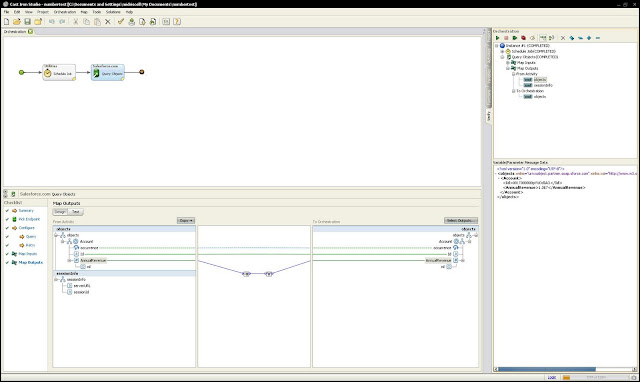
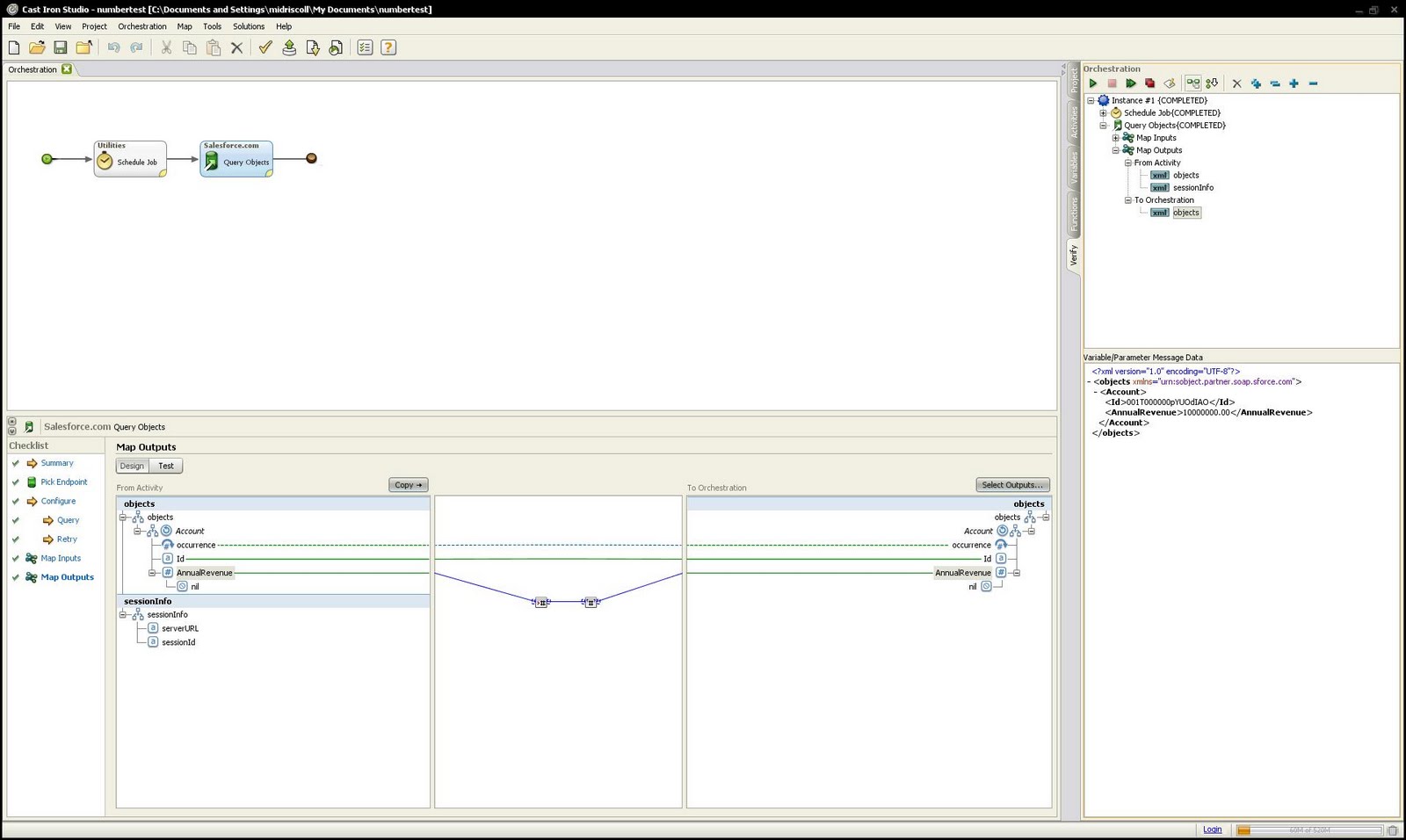
In this screenshot you can see the simple orchestration. In the verify pane on the right, you can see what is returned from salesforce via the connector. Scientific notation!
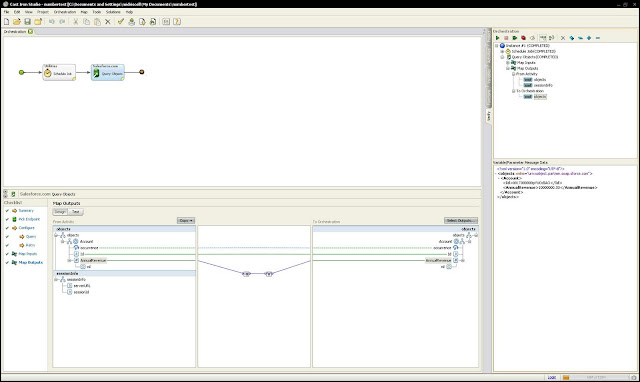
I found that CastIron has some out-of-box formatting that can be applied. In this case, I used the Number function, which takes any datatype and casts it as a number. I think passed the output of the function to the Number format function to specify how I wanted to present the number. In the verify pane, you can see the results:

A colleague observed that when using the Salesforce connector to retrieve an Account record, that the value returned in the AnnualRevenue field was presented in scientific notation. When I read the email, I couldn't believe it but here is what he saw:
<?xml version="1.0" encoding="UTF-8"?>
- <Accounts>
- <Account>
<CrmAccountId>AC240012</CrmAccountId>
<AccountName>Test 007</AccountName>
<AccountRecordType>Legal Entity</AccountRecordType>
<AnnualRevenue>1.0E7</AnnualRevenue>
<NumberOfEmployees>5000</NumberOfEmployees>
<Industry/>
Interestingly, he observed that the same SOQL run in Apex explorer yields: 10000000.
I setup a simple orchestration to verify this and determine a fix:
1. A polling activity set to 30 seconds
2. A Salesforce query activity to fetch the same Account record
In this screenshot you can see the simple orchestration. In the verify pane on the right, you can see what is returned from salesforce via the connector. Scientific notation!

I found that CastIron has some out-of-box formatting that can be applied. In this case, I used the Number function, which takes any datatype and casts it as a number. I think passed the output of the function to the Number format function to specify how I wanted to present the number. In the verify pane, you can see the results:

Friday, July 8, 2011
Date Literals
Today, while debugging an orchestration, I came across a soql that contained this in where clause "LAST_N_DAYS:1". I had not seen it before and searched the orchestration for where the variable was declared and found nothing. I thought it might be something specific to CastIron but after a quick google search, it turned up in the salesforce documentation:
http://www.salesforce.com/us/developer/docs/api/Content/sforce_api_calls_soql_select_dateformats.htm
So, if you needed to find all of the opportunities that were updated in the last 10 days, you could write something like this: select o.Id from Opportunity o where o.LastModifiedDate >= LAST_N_DAYS:10
And the documentation has a bunch of other Date Literals that should be very handy!
http://www.salesforce.com/us/developer/docs/api/Content/sforce_api_calls_soql_select_dateformats.htm
So, if you needed to find all of the opportunities that were updated in the last 10 days, you could write something like this: select o.Id from Opportunity o where o.LastModifiedDate >= LAST_N_DAYS:10
And the documentation has a bunch of other Date Literals that should be very handy!
Subscribe to:
Posts (Atom)